Web Link Redirections

If you are running campaigns for programs or products on a regular basis you might find your self hunting through dozens of emails or website pages for a sales link to a product or program you need to change.

This new feature allows you to create a link in your Training Tilt account, use it one time in all of your emails, website pages and advertising and never need to change it.

Instead you can have it automatically expire and redirect elsewhere (eg a waitlist page or a different product)

You can also use this for other types of links that may change over time but you don't want the hassle have having to find it and change it everywhere. e.g if you have a regular live call that is using Zoom and then you change to Google Meet instead. You can simply just update the link inside your Training Tilt account and the link you shared with everyone will automatically get redirected to the new meeting link.

More info in the video from Cam below.

To create a new link go to Link Redirections from the E-commerce menu, and add a new link.
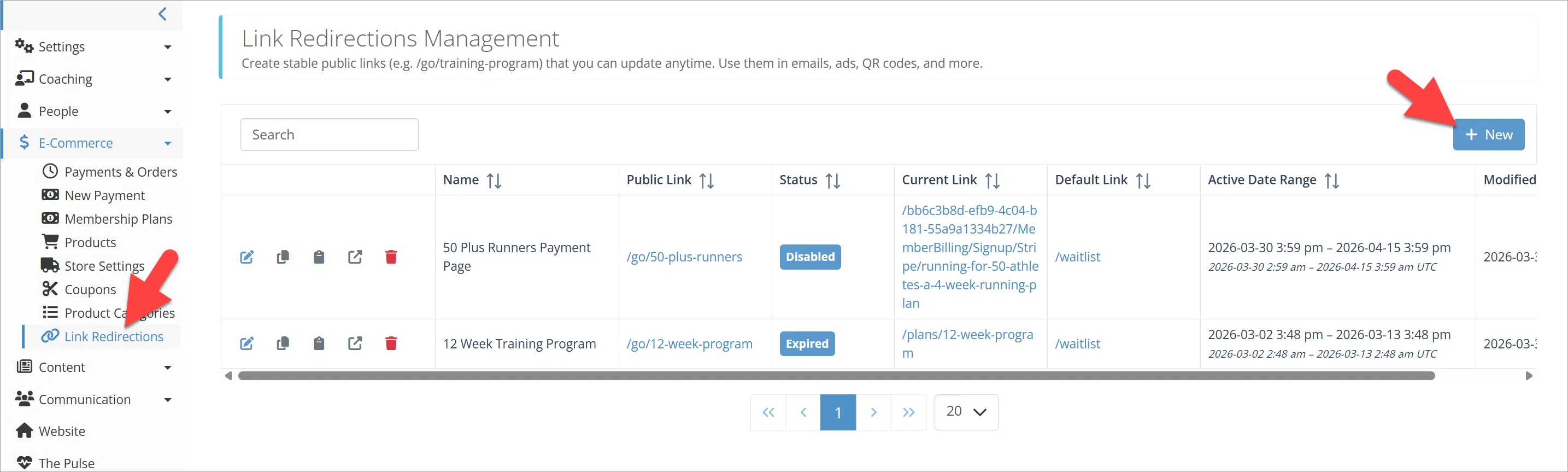
Create New Link

Type the link you want. This is the link you will share, not the page people will end up landing on. Also give it a meaningful name and an optional description. As you type the link it will automatically show the preview of the link in the public URL preview section.
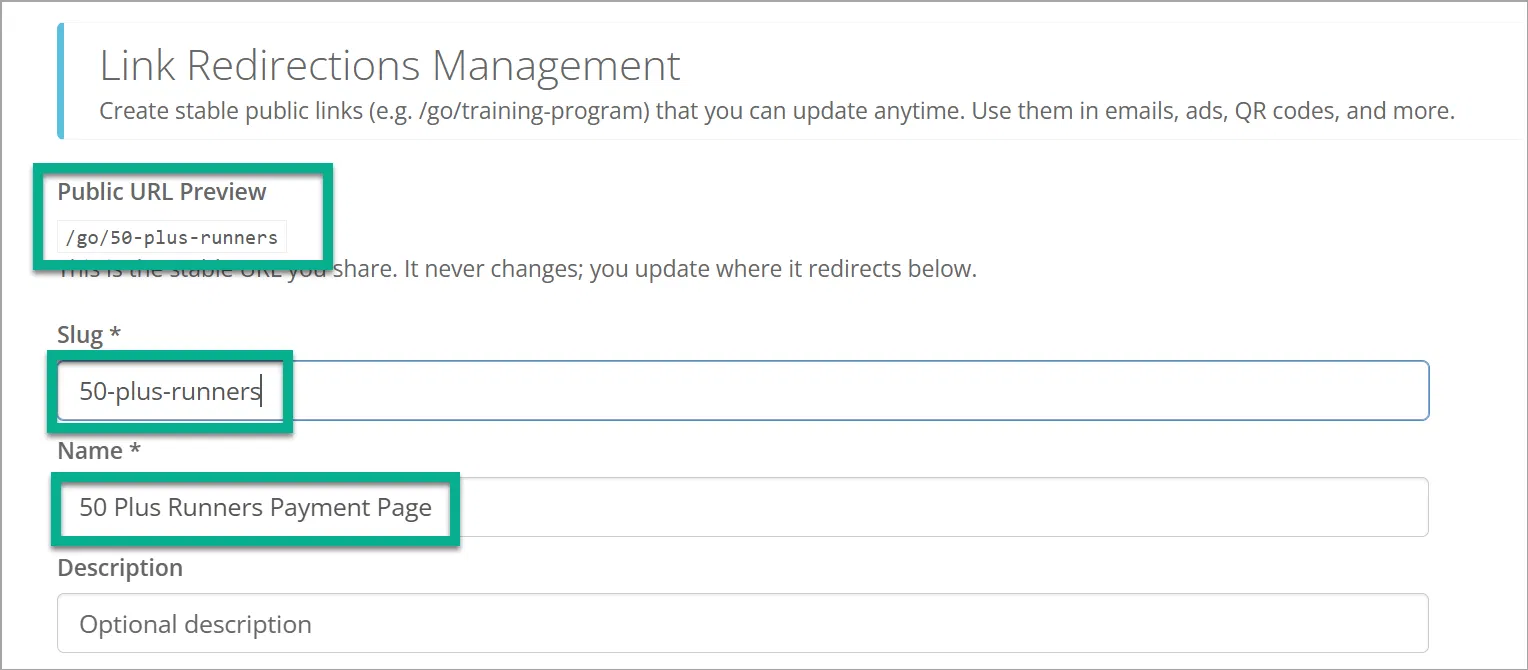
Link Redirection

Now paste in where you want the link to actually go while it is active this is the "Current Link". This will be your payment page, your landing page or your meeting link etc.
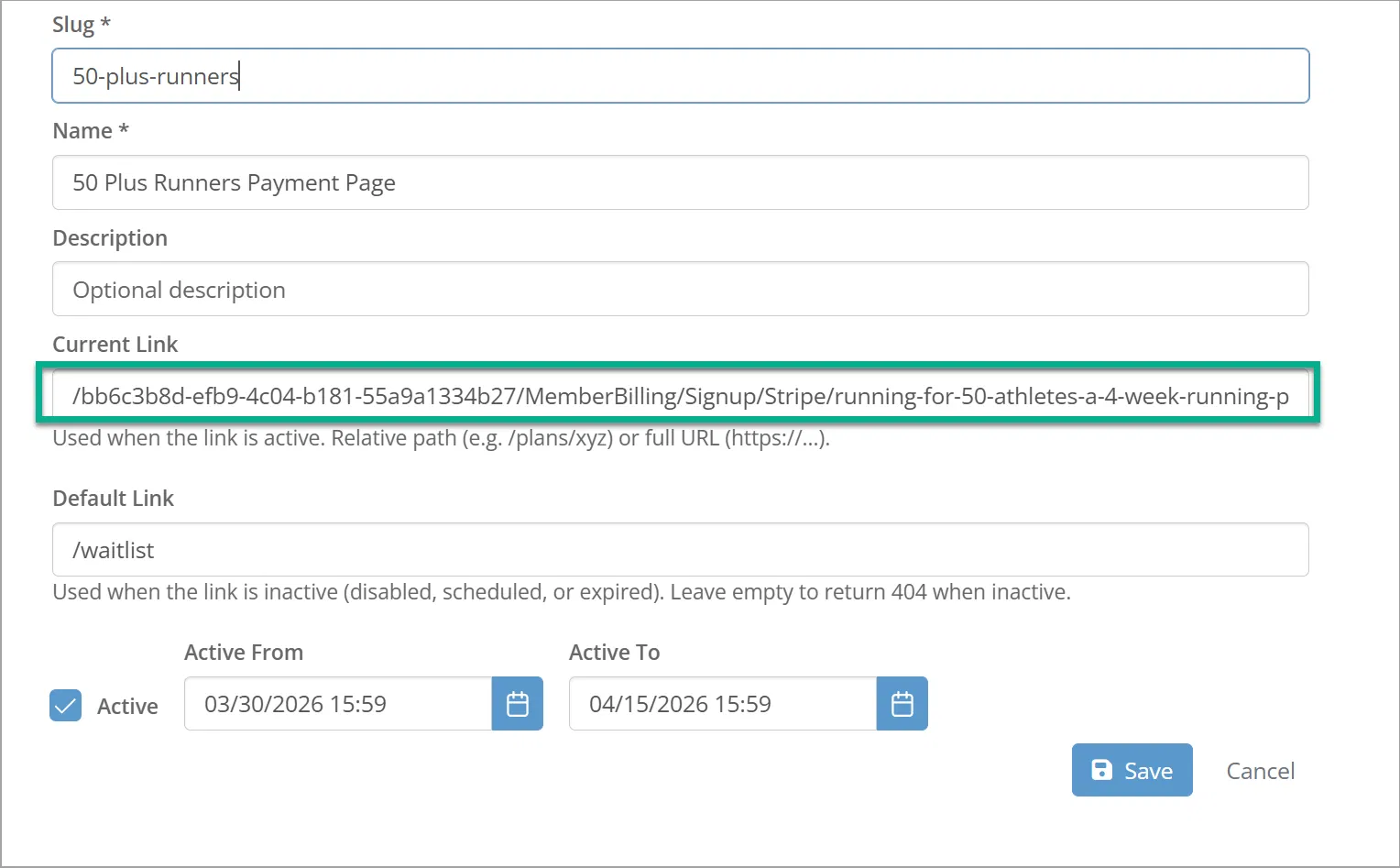
Current Link

Now you can type in an optional "Default Link" this is where the link will redirect to when the link is no longer active. If you don't enter a default link then the link will just redirect to a 404 not found when it expires or is set inactive. In the example our default link is a waitlist page, so when our program closes we can still capture potential customers details.

You can also optionally set up a date range, or manually disable the link.
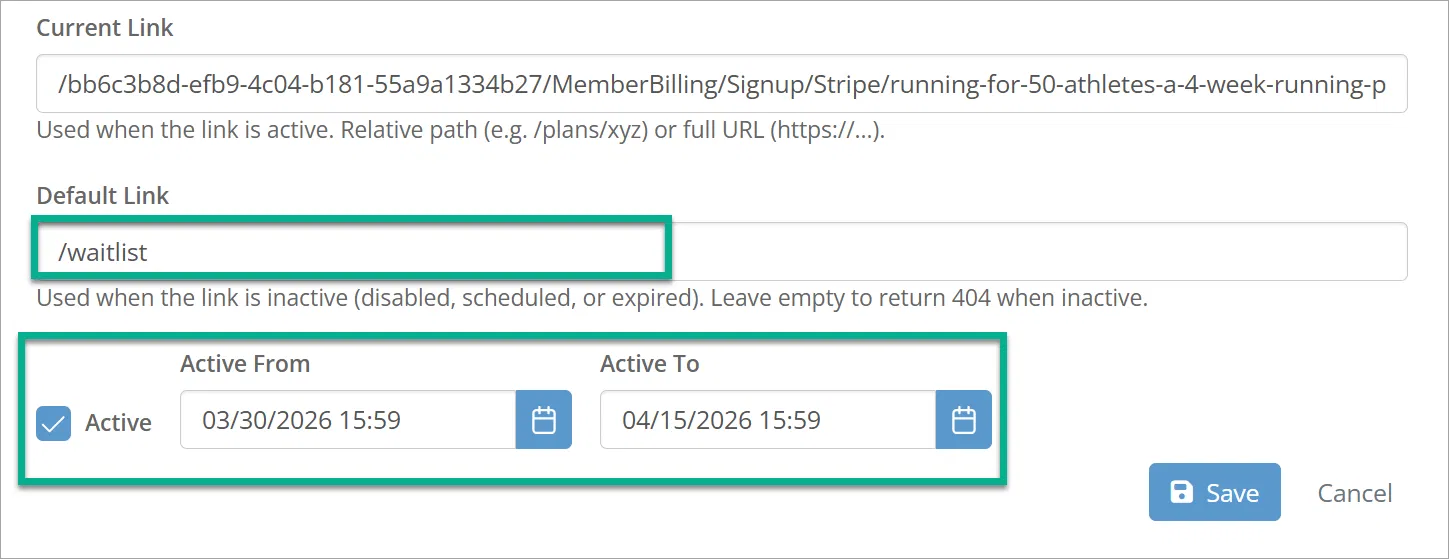
Default Link

Want to learn more? Schedule a 1 on 1 demo

SCHEDULE A DEMO START A FREE TRIAL

Frequently Asked Questions

It's easy, just click the "Get Started" or "Free Trial" button at the top of the page, choose a plan, click the sign up button and fill in the form. It's a fully automated process, as soon as you have signed up your new Training Tilt site will be ready for you.
No, there are no long term contracts for any of our plans. If for any reason you no longer wish to continue your subscription to Training Tilt you can cancel at any time.
No, we do not charge members to use your system. Training Tilt was designed to help fitness professionals manage their clients and business. You can however use the Training Tilt platform to collect recurring payments from your clients using the Membership Plan tools.
Yes at any time you can upgrade or downgrade to any of our plans. We calculate our plans on a daily basis so you only pay for what you use. You can upgrade for a day to check out the new plan and downgrade again and we'll only charge you for a days worth of use.
When you signed up you would have recieved an email with your own custom website address that you chose during the process. You need to login from this custom address. The address would have been in the format http://yourbusiness.trainingtiltapp.com. If you've forgotten your address or can't find the email, send us a message at support@trainingtilt.com and we will find it for you.
It sure is, with a few simple steps you can have your existing or new domain name pointing to your Training Tilt website. If you don't have a domain, that's no problem you can use one of our sub domains. e.g. http://yourbusiness.trainingtiltapp.com
Yes you can, if you have already invested in a website you are happy with you can still use Training Tilt to build training plans and share resources with your athletes. It's a simple process to add a link from your existing website so your clients can log in to your Training Tilt site.
Yes our mobile apps can be downloaded from the Google Play Store and Apple App Store for Android and IOS devices.
Training Tilt is a cloud based application, all our servers and data are based in Microsoft data centers in secure locations. Data is backed up on a regular basis, and we have the ability to scale our systems within a matter of minutes as our demand increases. Our cloud based architecture is also the reason why we can offer our service at such a reasonable price.
For whatever reason you can choose to cancel your subscription at any time. Just login, access the billing page and click the cancel button. As long as you cancel before the next billing cycle starts your won't be charged.

More questions?

Get in touch